
Reusable configuration
Start new runs from supported actor inputs and repeat useful research workflows.
Bizcraw turns individual scraping jobs into a repeatable operating workflow. Each run keeps its configuration, status, records and usage visible to the workspace.
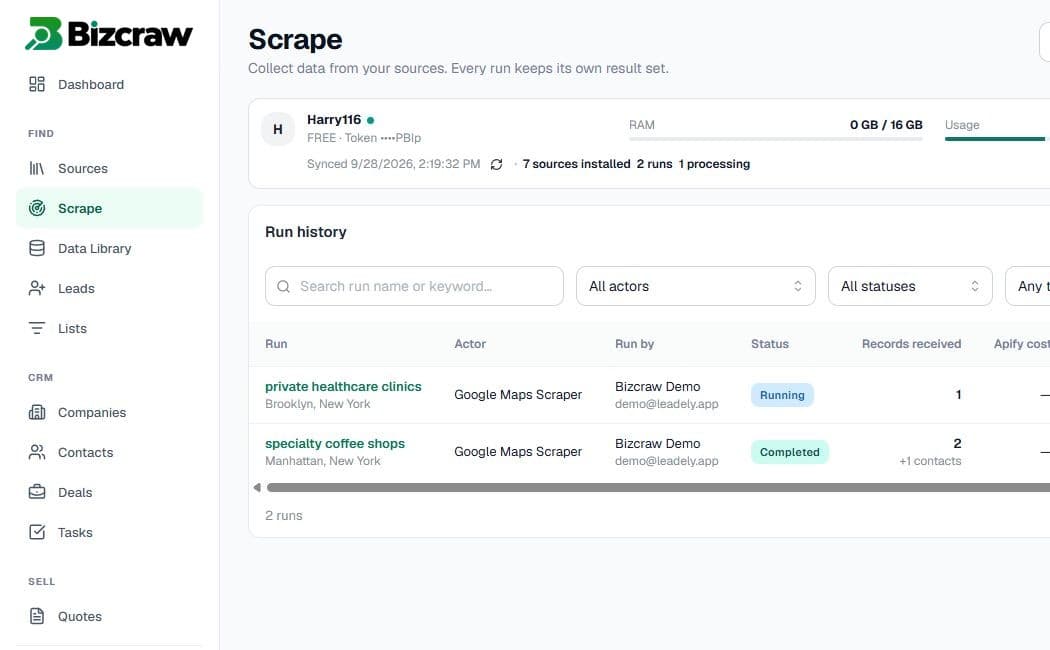
Configure supported scraping actors, monitor runs, review records and track usage from a workspace built for sales teams.
Start new runs from supported actor inputs and repeat useful research workflows.
See processing status, collected records and run history in one place.
Keep raw results separate until a user approves them for CRM use.
Connect an available actor to the workspace.
Configure the fields exposed by that actor.
Monitor status, records and usage while processing continues.
Search, select and import the data your team needs.
Use the same controlled workflow across common sales and market-research jobs.
Run history and saved context help teams repeat supported collection workflows.
Results stay associated with the run and workspace so they can be reviewed before CRM import.
Installed sources belong to the workspace, subject to plan permissions and workspace roles.
Build a repeatable path from scraping to sales execution.
Create workspace