
Bring your Apify account
Connect a workspace using an Apify API token and keep credential handling server-side.
Bizcraw connects Apify actor capabilities to a sales workspace. Users bring an API token, install supported sources and keep run results beside the CRM processes that use them.
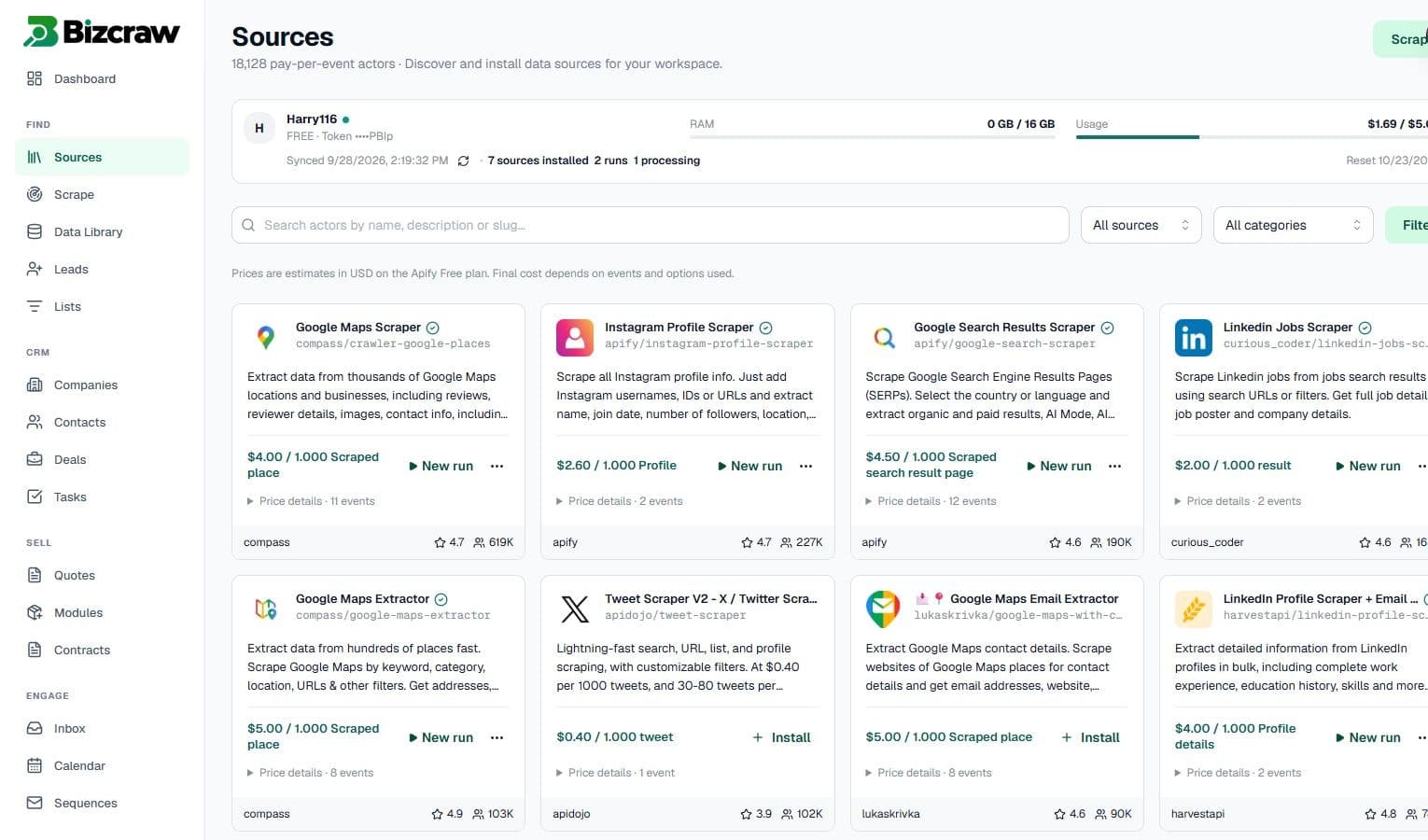
Connect an Apify API token, browse supported actors and manage scraping runs and selected results inside Bizcraw.
Connect a workspace using an Apify API token and keep credential handling server-side.
Browse actor descriptions, pricing events and input requirements from the source library.
Review run output and move selected records into Bizcraw workflows.
Use an existing Apify account or register a new account.
Copy a personal API token from the Apify console.
Paste and verify the token in Bizcraw settings.
Choose supported sources and configure their inputs.
Use the same controlled workflow across common sales and market-research jobs.
Yes. The current integration uses an Apify API token linked to an Apify account.
Connected credentials are handled server-side and stored using the system’s protected credential workflow.
Actor usage is associated with the connected Apify account and depends on the source and run configuration.
Build a repeatable path from scraping to sales execution.
Create workspace